Right triangle calculator app: sides and angles from any two values
Published · Updated · By Sai Nath
MeisterCalc's Triangles calculator solves a right triangle from two of its sides, or one side and an angle, picked from nine chips. A 3500 mm base and a 1400 mm rise give a 3769.6 mm hypotenuse, Angle A 21.801° and Angle B 68.199°, and the triangle redraws as you type.
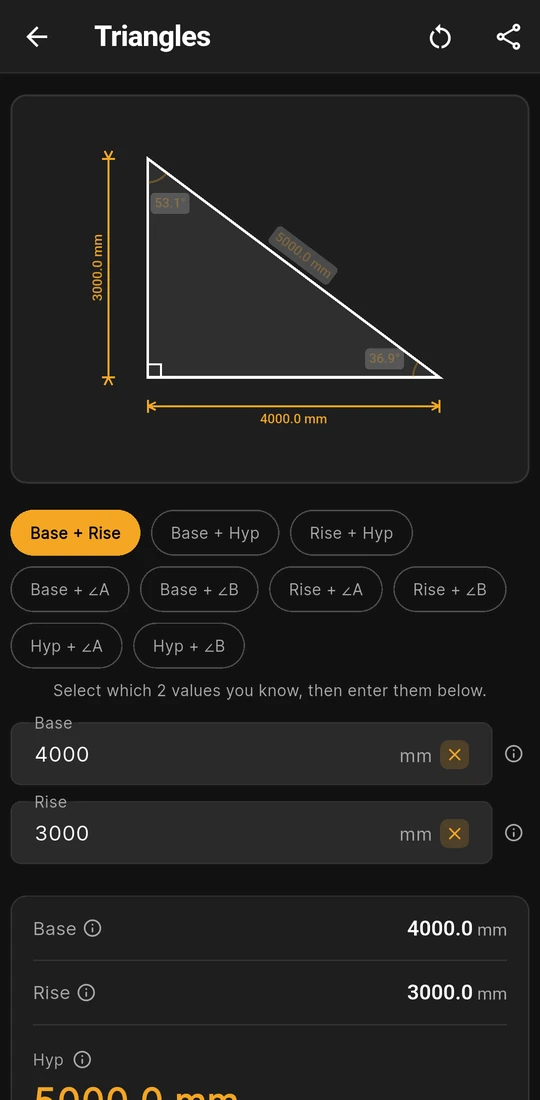
Base + Rise: 4000 and 3000 mm, Hyp 5000.0 mm
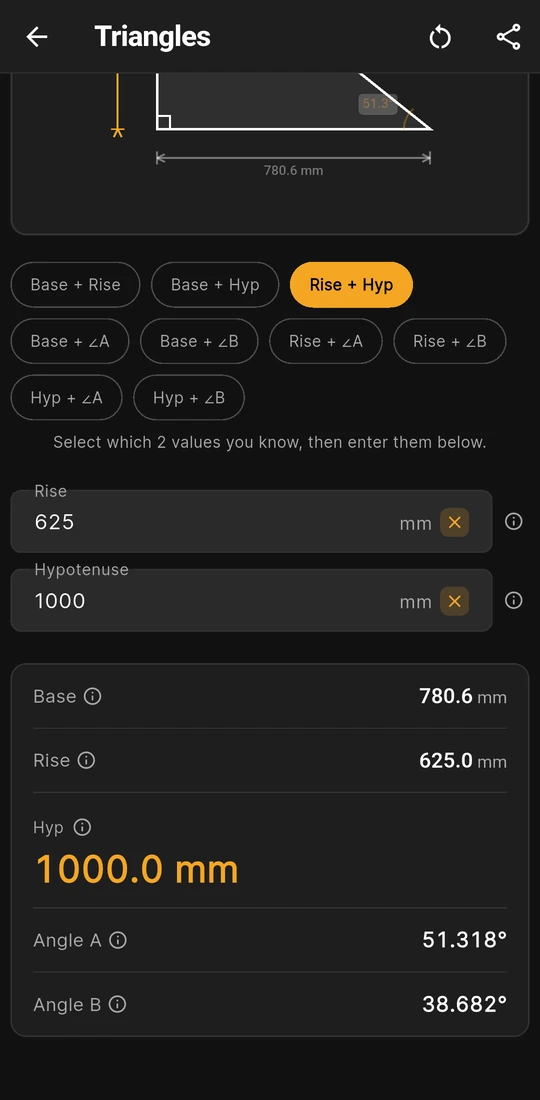
Rise + Hyp: 625 and 1000 mm, Angle B 38.682°
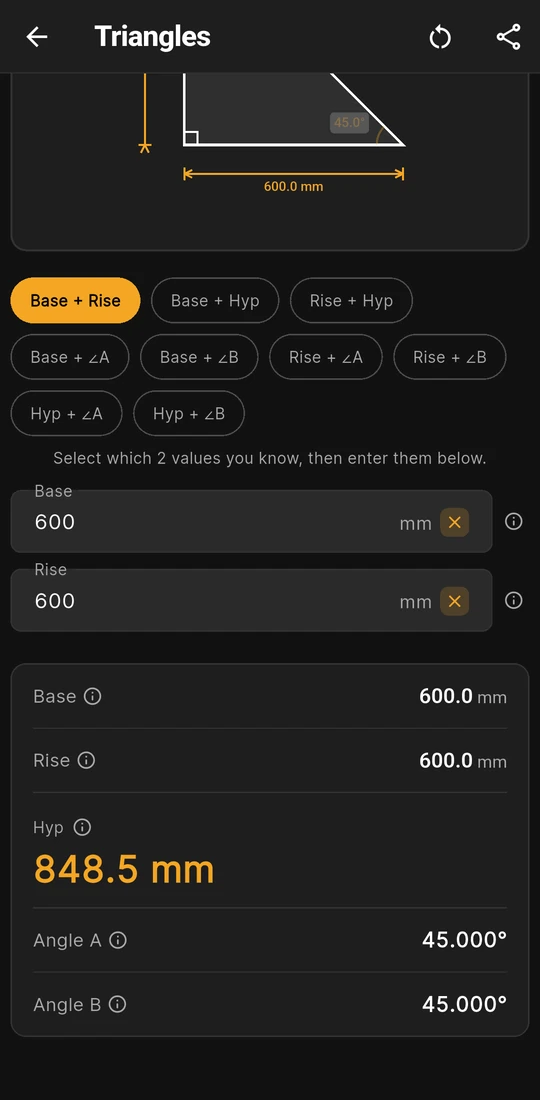
A 600 × 600 mm knee brace: Hyp 848.5 mm


What does the Triangles calculator work out?
The whole of a right triangle from any two of its values. Open Home ▸ Triangles and tap the chip for what you have: Base + Rise, Base + Hyp, Rise + Hyp, Base + ∠A, Base + ∠B, Rise + ∠A, Rise + ∠B, Hyp + ∠A or Hyp + ∠B. Only those two boxes show, so there's nothing to leave blank by mistake. Whichever pair you start from, the card gives all five values.
| Value | Where it sits on the triangle | On the card |
|---|---|---|
| Base | The level leg along the bottom | Millimetres to one decimal |
| Rise | The upright leg on the left | Millimetres to one decimal |
| Hyp (typed in the Hypotenuse box) | The sloping side, opposite the right angle | Millimetres to one decimal, in large type |
| Angle A | The bottom-right corner, between Base and Hyp | Degrees to three decimals |
| Angle B | The top corner, between Rise and Hyp | Degrees to three decimals; A + B is always 90° |
The right angle is the bottom-left corner, between Base and Rise. A length of 0 gets a red message under its box, such as "Base must be greater than 0". An angle has to be above 0° and below 90°; outside that the card simply stays empty.
Worked example: a brace across a 3500 × 1400 mm frame
A diagonal brace runs corner to corner across a panel 3500 mm long and 1400 mm high. Pick Base + Rise and type Base 3500 and Rise 1400.
- Square both legs and add them: 12,250,000 + 1,960,000 = 14,210,000.
- Take the square root: Hyp = 3769.6 mm, the brace's length between the two corner points.
- Angle A: arctan(1400 ÷ 3500) = arctan 0.4 = 21.801°, the brace's slope up from the bottom plate.
- Angle B: 90° − 21.801° = 68.199°, its angle off the upright.
The card reads Base 3500.0 mm, Rise 1400.0 mm, Hyp 3769.6 mm, Angle A 21.801° and Angle B 68.199°, and the diagram rounds the angles to 21.8° and 68.2°. The 3769.6 mm is point to point. A brace with width loses length at each end where it meets the frame, and the long point, short point and centre line give three different cuts: knee brace length walks through them.
The screens above show two more pairs. Rise + Hyp with Rise 625 and Hypotenuse 1000 gives Base 780.6 mm, the half-chord trick for measuring a corner's angle with a tape. Worked by hand, Angle A, opposite the Rise, is arcsin(625 ÷ 1000) = 38.682° and Angle B is 51.318°. In Rise + Hyp the app shows those two the other way round, Angle A 51.318° and Angle B 38.682° on the card and the drawing, so double the 38.682° for the tape trick. Base + Rise at 600 and 600 gives the 848.5 mm Hyp of a 45° knee brace.
What you see on the screen
- A triangle drawn to your proportions. A long, flat triangle looks long and flat. The two values you typed are drawn in amber and the three the app worked out are dimmed, with lengths in millimetres and angles to one decimal.
- A note behind each ⓘ. Base, Rise, Hypotenuse, Angle A and Angle B each have a short note and a Learn more page with a drawing. The Angle B note mentions its use for the plumb cut on a rafter end.
- Share results. Share as Text, or Share as PDF with the diagram, sends your two inputs and all five results.
- Your last triangle is kept. The chip and the two values are still there next time. Changing the chip clears the boxes, so pick it first.
Try a right triangle free on the web
The Right triangle tab of the free construction calculator takes two legs, Side A and Side B, and gives the Diagonal and the other two angles in a browser. Type 3500 and 1400 for the example above. It covers the two-legs case only; the eight pairs with a hypotenuse or an angle are in the app.
Is Triangles free?
No. Triangles comes with Pro, like 12 other MeisterCalc calculators. Without Pro you can open it, pick a chip and type: the diagram draws with your two values, the other three show a lock, and the result card is blurred until you unlock. Pro is a subscription or a one-time lifetime unlock; Google Play shows the plans and prices in your currency. If all you need is the diagonal of a rectangle, the free Check Square calculator gives it from the length and width.
Angles in the stair rules, by country
Triangles doesn't know your building code. But some stair rules are written as an angle, and a stair's pitch is Angle A of a triangle with the going as the Base and the riser as the Rise. Figures quoted, with sources, on the pages linked:
| Country | Stair rule | Worked on the site |
|---|---|---|
| New Zealand | Main private stair: pitch 37° or less (41° for a secondary private stair), D1/AS1 Table 6 | 186.7 mm risers on a 280 mm going: 33.7°, New Zealand |
| England | Private stair: pitch 42° at most, Approved Document K | 185.7 mm on 220 mm: 40.2°, passes; 200 mm on 220 mm: 42.3°, fails, United Kingdom |
| Australia | No pitch limit as such: riser 115 to 190 mm, going 240 to 355 mm, NCC 2025 Housing Provisions Table 11.2.2a | Stair rules in Australia |
| United States | No pitch limit as such: riser 7 3/4" at most, tread 10" at least, IRC R311.7.5 (2021 edition) | United States |
For the New Zealand check, Base + Rise with 280 and 186.7 gives Angle A 33.695°, the 33.7° that page works out. Rules change by edition and by place, so confirm the figure with your council, building consent authority or building control.
Rules in more detail: building codes by country, from Australia's NCC to New Zealand's Building Code, England's Approved Documents and the US IRC.
Questions about Triangles
Why is there no result when I type a hypotenuse?
The hypotenuse has to be longer than the leg you typed with it. In Base + Hyp or Rise + Hyp, a Hypotenuse equal to or shorter than the leg can't make a right triangle, so the card stays empty. There's no message for that case, so check which box each number went into.
Can I type an angle in degrees and minutes?
No. The angle boxes take digits and a decimal point only, so convert first: 22°30' is 22.5. Radians aren't accepted either. The card gives angles back in decimal degrees to three places.
How is Triangles different from Pitch?
Pitch speaks in slopes: X in 12, % Grade, 1 in X, fall per metre and a rafter line with the eaves added. Triangles speaks in sides and both corner angles, and lets you type the sloping side itself. Use Pitch for a roof or a fall, and Triangles for braces, stringers and anything measured along the slope.
Does it work for triangles without a right angle?
No. Every chip assumes the right angle at the bottom-left. It also has no area, perimeter or three-sides mode. For an odd corner, the tape-measure method linked above halves it into two right triangles.
Can I use it in feet and inches?
Yes. Settings ▸ Units ▸ Default units ▸ Imperial (ft/in) shows Base, Rise and Hyp in feet, inches and fractions, at the Fraction precision you set. Angles stay in degrees. Switching units clears the boxes.
Guides that go deeper
- What does a right angle triangle calculator in mm solve?
- How do builders use Pythagoras on site?
- How do I use the 3-4-5 rule to set out a right angle?
- How long should a knee brace be on a pergola?
- How do you measure an angle with a tape measure?
Get MeisterCalc
MeisterCalc runs on Android 7.0 or later and works every sum out on the phone, so Triangles works with no signal on site. Concrete, Stairs and Check Square are free; Triangles comes with Pro.