Gravel in MeisterCalc: tonnes of gravel or road base for any area
Published · Updated · By Sai Nath
Gravel in MeisterCalc turns a length, width and compacted depth into cubic metres, tonnes and an order figure with 10% added. Density starts at 1500 kg/m³; type your supplier's figure over it. A 10 m × 3 m bed 75 mm deep is Volume 2.250 m³, Weight 3.375 t and Order (+10%) 3.713 t. Gravel comes with Pro.
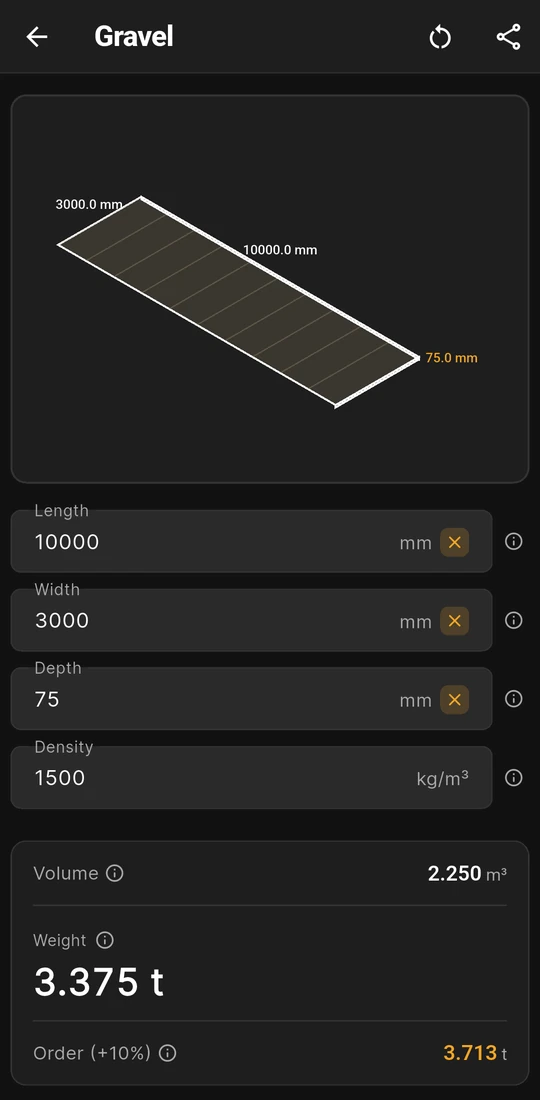
10 × 3 m at 75 mm: 3.375 t, order 3.713 t
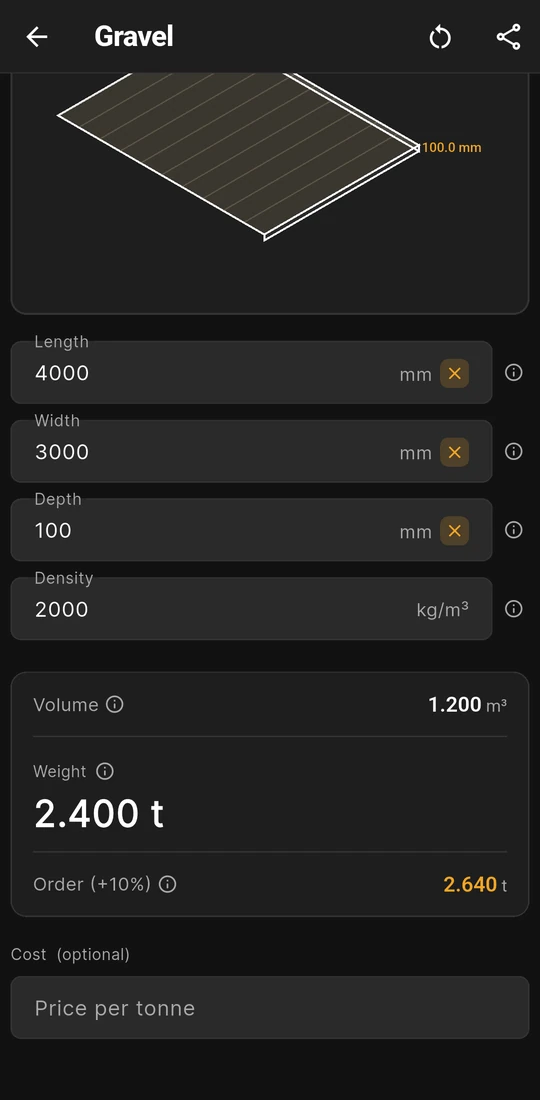
Density typed over to 2000 kg/m³: 2.400 t
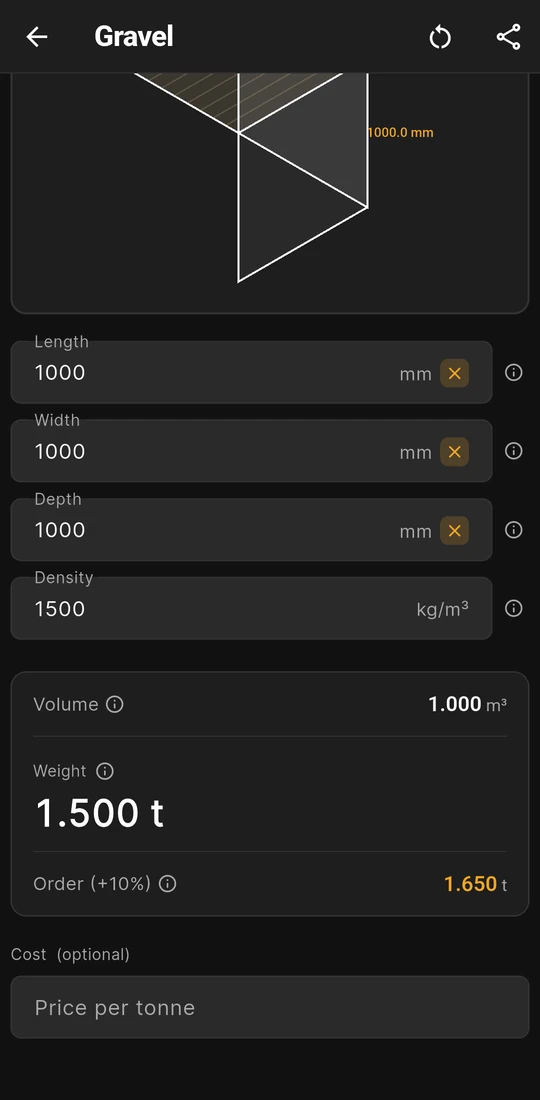
One cubic metre at 1500 kg/m³ is 1.500 t


What goes in and what comes out
Gravel is for loose stone spread to a depth: a path, a drive, a drainage bed, or the compacted base under pavers or a slab. Open Home ▸ Gravel; the card appears once Length, Width and Depth have numbers.
| Field | Input or result | What it is |
|---|---|---|
| Length | Input | The long side of the area, in millimetres (or feet and inches). |
| Width | Input | The short side, at right angles to the length. |
| Depth | Input | The layer's thickness once compacted, not the loose depth tipped off the truck. |
| Density | Input | Kilograms per cubic metre of the product you buy. Starts at 1500 kg/m³. |
| Volume | Result | Length × Width × Depth, in m³ to three decimal places. |
| Weight | Result | Volume × Density ÷ 1000, in tonnes. The large figure on the card. |
| Order (+10%) | Result | Weight × 1.10, in tonnes, for spillage, settling and uneven edges. |
Below the card, Cost (optional) takes a Price per tonne. A Wastage slider then appears, from 0 to 30% and starting at 10%, with Total Cost and Cost + 10% Waste underneath.
Worked example: 75 mm of gravel over 30 m²
A bed 10 m long and 3 m wide, 75 mm deep once compacted, at the starting density:
- Volume: 10 × 3 × 0.075 = 2.25 m³, shown as Volume 2.250 m³.
- Weight: 2.25 × 1500 ÷ 1000 = 3.375 t, shown as Weight 3.375 t.
- Order: 3.375 × 1.10 = 3.7125 t, shown as Order (+10%) 3.713 t.
Change the density and only the tonnes move. The second screen above is the same calculator at 2000 kg/m³, the example road base figure from how much road base (or Type 1) do I need?: a 4 × 3 m patio base 100 mm deep is Volume 1.200 m³ and Weight 2.400 t. The third screen is the bare conversion: 1 m³ at 1500 kg/m³ is 1.500 t.
The density, and when to change 1500
As soon as you have a quote. The ⓘ note on Density describes 1500 kg/m³ as 20 mm crushed rock, and it is the app's starting value, not a figure from any quarry. River stone, crushed rock, road base, crusher dust and Type 1 each weigh something different per cubic metre, and moisture and compaction shift them again. Ask the supplier for the tonnes per cubic metre of the exact product, loose or compacted, and type it in. There are no presets: the density is how you switch material.
Gravel keeps the last density you typed, separate from Soil and Asphalt, so your yard's figure is still there next job. Clear sets it back to 1500. The field takes 100 to 5000 kg/m³; outside that range the card doesn't appear, and an empty field is worked at 1500.
How gravel is sold, and which row to read
- By the tonne. Many yards load and price by weight, which is what a truck or trailer is limited by. Quote the Order (+10%) row: it is the Weight with 10% on top.
- In bulk bags. A bag can be listed by weight or by volume; one UK merchant offers 500 L and 800 kg bags side by side. Divide the tonnes by the bag's weight, or the Volume by its litres ÷ 1000, and round up. How many bulk bags of gravel do I need? works the sums.
- By the trailer. A trailer reaches its payload long before it is full. At 1500 kg/m³ a 6x4 box trailer rated for 500 kg carries 0.333 m³, about a third of a cubic metre; see how many cubic metres does a trailer or box trailer hold?
- By the cubic metre. If the yard quotes volume, read the Volume row and add your own margin, because Order (+10%) is in tonnes.
The depth: compacted, and set by the job
Depth moves the answer as much as the density, and the app doesn't choose it. Enter the finished thickness after the plate compactor. The ⓘ note on Depth lists typical ranges, but the site's guides leave a path or driveway depth to the supplier, the paver maker or the council, because it depends on the ground and the traffic. A drive built as a coarse base and a finer top is two runs of the calculator, each with its own depth and density, added together.
What you see on the screen
- A 3D drawing of the layer. The top is shaded stone-coloured and hatched, with the length and width on the edges and the depth in amber. A 75 mm layer over 10 m draws as a thin sheet, a quick check that you typed millimetres.
- Feet and inches in, metric out. With Settings ▸ Units ▸ Default units ▸ Imperial (ft/in), Length, Width and Depth take feet, inches and a fraction. Density stays in kg/m³, and the results stay in cubic metres and metric tonnes. Switching units clears the sizes and resets the density.
- Share results. Share as Text or Share as PDF sends the four inputs, the three results and any cost lines, so the yard gets the measurements you worked from.
Is the Gravel calculator free?
No, Gravel comes with Pro. Without it you can open Home ▸ Gravel, type the sizes and see the layer drawn, but the results stay blurred until you unlock. Concrete, Stairs and Check Square are free; Pro unlocks the other 13 as a subscription or a one-time lifetime unlock, and Google Play shows the plans and prices in your currency. The three bulk calculators are compared in is there a gravel, soil and asphalt calculator app that gives tonnes?
Gravel names and units by country
| Country | Names you'll hear | How it's measured | Guide |
|---|---|---|---|
| Australia | Gravel, road base, crusher dust | Tonnes for gravel and road base, millimetres for depths | Australia |
| United Kingdom | Gravel, shingle, Type 1 sub-base | By the tonne or in bulk bags, listed as 500 L or 800 kg | United Kingdom, bulk bags |
| United States | Gravel | American pages quote tons, a different unit from the app's metric tonnes | tonne or ton |
In Australia, New Zealand and the UK a tonne is 1000 kg, the unit on the app's card. None of these guides sets a depth or a density: both come from the supplier or the drawings. Where the base carries a slab or a building, the thickness and compaction are the engineer's call, and the local council, building consent authority, building control or certifier decides what passes.
Rules in more detail: building codes by country, from Australia's NCC to New Zealand's Building Code, England's Approved Documents and the US IRC.
Questions about Gravel
Can I use Gravel for road base, crusher dust or sand?
Yes. Type the supplier's density for that product into Density and the tonnes follow. Work each layer, such as a road base with a crusher dust bedding on top, as its own run and add the Weights. Bedding sand under pavers is covered in how much sand do I need for paving?
Does the price use the Weight or the Order row?
The Weight. Total Cost is Weight × Price per tonne, and Cost + 10% Waste adds whatever the Wastage slider is set to, from 0 to 30%. Leave the slider at 10% and that second line is the price of the Order (+10%) row.
Can I change the 10%?
Not on the Order row; it is always the Weight × 1.10. The ⓘ note on Order suggests 15 to 20% for large jobs or uneven subgrades, so add that to the Weight yourself, or set the Wastage slider to match for the cost.
How do I work out a curved or L-shaped area?
One rectangle at a time: split the area, run each part and add the Weights. If you already know the area, type it as the Length in millimetres with a Width of 1000 mm; 30 m² becomes 30000 × 1000 mm.
Why is the card blank after I typed a density?
The density is outside 100 to 5000 kg/m³, often a figure typed in tonnes per cubic metre. Type kilograms instead: 1.5 t/m³ is 1500 kg/m³.
Guides that go deeper
- How much gravel do I need (in tonnes)?
- How do I convert cubic metres to tonnes for gravel, soil and sand?
- How much road base (or Type 1) do I need?
- How many bulk bags of gravel do I need?
- How many square metres does a tonne of gravel cover?
- How many cubic metres does a trailer or box trailer hold?
Get MeisterCalc
MeisterCalc runs on Android 7.0 or later and works every sum out on the phone, so Gravel works with no signal at the yard or on site. Gravel comes with Pro.