Dumpy level calculator app: height of instrument and reduced level
Published · Updated · By Sai Nath
MeisterCalc's Dumpy Level calculator turns three readings into a height of instrument and a reduced level: Benchmark RL plus the staff reading on it gives HI, and HI minus the reading on your point gives its RL. A 15.250 m benchmark read at 1.340 and a point read at 2.180 give HI 16.590 m and RL 14.410 m.
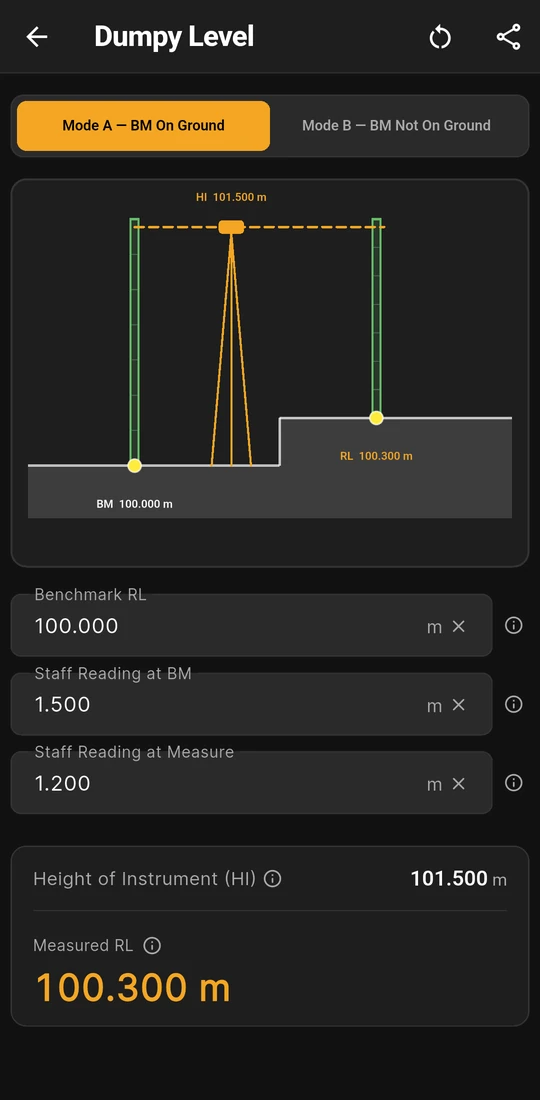
100.000, 1.500 and 1.200 m: RL 100.300 m
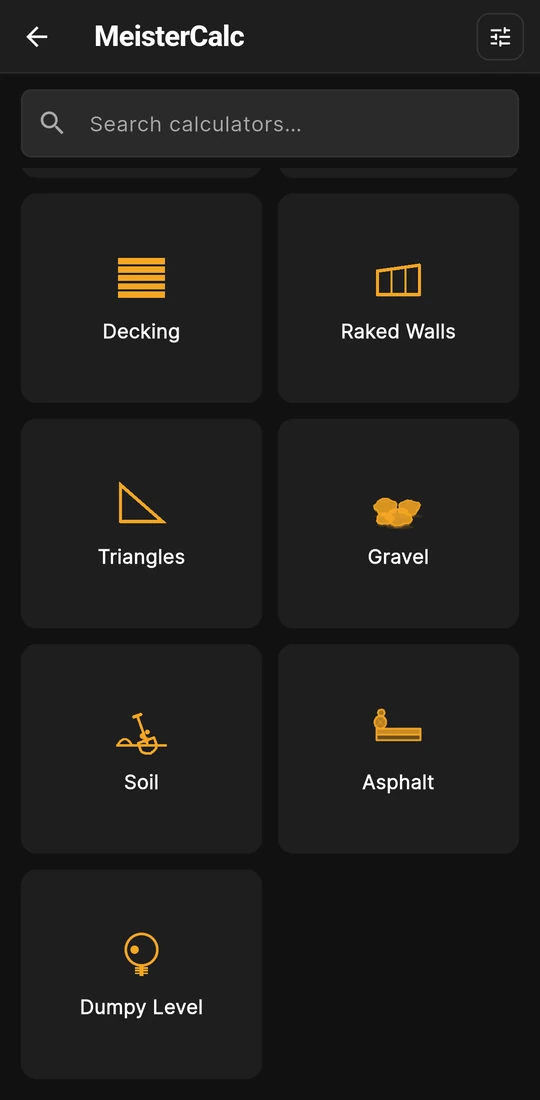
Home: the Dumpy Level card


What does the Dumpy Level calculator work out?
The two sums behind every level you take with a dumpy level and staff: the height of the line of sight, and the reduced level (RL) of the point the staff is on. Open Home ▸ Dumpy Level (typing "staff" or "benchmark" in Search calculators finds it), choose a mode and type three readings in metres.
| Box or row | What it is |
|---|---|
| Benchmark RL | The known level of your benchmark, from the surveyor's plan, or an assumed figure such as 100.000 |
| Staff Reading at BM | The middle-crosshair reading with the staff on the benchmark, the backsight |
| Staff Reading at Measure | The reading with the staff on the point you want, the foresight |
| Height of Instrument (HI) | Benchmark RL + Staff Reading at BM: the level of the line of sight |
| Measured RL | HI − Staff Reading at Measure: the level of the point, in the benchmark's datum |
Both results are in metres to three decimals, the millimetre a staff is read to. The two modes, Mode A — BM On Ground and Mode B — BM Not On Ground, take the same three boxes and run the same sums. Mode B is for a benchmark above the ground, such as a mark on a ledge or a windowsill, and only the drawing changes: its staff stands on a raised bracket.
Worked example: a 15.250 m benchmark
A peg on site has been given a level of 15.250 m. With the dumpy set up and its bubble centred, the staff reads 1.340 on the peg and 2.180 on the point you need. In Mode A — BM On Ground, type 15.250, 1.340 and 2.180.
- Height of Instrument (HI): 15.250 + 1.340 = 16.590 m.
- Measured RL: 16.590 − 2.180 = 14.410 m.
- Sense check: the staff showed 2.180 − 1.340 = 0.840 m more on the point than on the peg, so the point is 0.840 m lower, and 15.250 − 0.840 is the same 14.410 m.
For the next point, change only Staff Reading at Measure: HI stays put for as long as the level isn't moved or knocked. Mode B works the same way. A benchmark on a windowsill at 20.000 m, read at 1.200, gives HI 21.200 m, and a reading of 1.750 on the point below puts it at 19.450 m. The first screen above is the textbook check on an assumed datum: 100.000, 1.500 and 1.200 give HI 101.500 m and RL 100.300 m, a point 0.300 m above the benchmark.
What you see on the screen
- A levelling drawing. The benchmark staff, the tripod and its dashed line of sight, and the staff on your point, labelled BM, HI and RL with their values. The ground steps up or down between the two staffs to match the levels.
- Metres, always. The three boxes are in metres whatever Settings ▸ Units ▸ Default units says, because levels are written that way. Switching that setting still clears them.
- A minus key. All three boxes take negative numbers, for levels below the datum.
- A note behind each ⓘ. Benchmark RL, both staff readings, HI and Measured RL each have a short note and a Learn more page with a drawing.
- Quick clearing. The × in each box empties just that reading; the Clear button empties all three.
- Share results. Share as Text or Share as PDF, headed with the mode, for the site diary or the person running the job.
Is Dumpy Level free?
No. Dumpy Level is one of the 13 calculators that come with Pro. Without Pro you can open it, choose a mode and type your readings, and the drawing shows, with BM, HI and RL behind a lock and the results blurred until you unlock. Pro is a subscription or a one-time lifetime unlock; Google Play shows the plans and prices in your currency. Concrete, Stairs and Check Square are free.
Levels and falls by country
An RL is only as good as its datum. Australian survey levels are normally given on the Australian Height Datum (AHD), as how to calculate reduced level explains; elsewhere, read the datum off the plans, and never mix assumed levels with real ones. Levels often end up as a fall, and these minimums are quoted, with sources, on the pages linked:
| Country | What falls | Figure | Where it comes from |
|---|---|---|---|
| Australia | Ground beside a slab-on-ground house | At least 50 mm over the first 1 m | NCC 2025 Housing Provisions 3.3.3(a)(ii): Australia |
| Australia | Subsoil drain | Not less than 1:300 | Housing Provisions 3.3.4(a): common falls and their sources |
| New Zealand | 100 mm surface water drain | 1 in 120 | E1/AS1 3.4.1, Table 2: New Zealand |
| England | Paving and other hard surfaces | At least 1 in 60 recommended | Approved Document H, H3 2.3: United Kingdom |
The app doesn't check levels against any of these. Levels that a permit, a boundary or a drainage design rely on come from a surveyor, the plans and your council or building control.
Rules in more detail: building codes by country, from Australia's NCC to New Zealand's Building Code, England's Approved Documents and the US IRC.
Questions about Dumpy Level
Can it reduce a whole page of readings?
No. It works one point at a time from one set-up. There's no reading table, no change points or intermediate sights, no closing check and no rise-and-fall booking, so keep your level book as usual and use the app for the sums.
What if my benchmark has no known level?
Give a fixed point an assumed level, such as 100.000 m, and type that as the Benchmark RL. Every Measured RL is then relative to that point only, which is fine for a slab, a fall or a cut on one site.
Can the Measured RL come out negative?
Yes. A reading longer than the HI puts the point below the datum, and the app shows the minus sign. On an assumed datum it just means below the point you chose as zero.
Does it warn me about a wrong reading?
No. Any number is accepted, so a reading typed as 1.430 instead of 1.340 gives a wrong level with no warning. Close on the benchmark or another known point at the end and check that the level comes back.
How do I get the fall between two points?
Find each point's Measured RL from the same set-up, take one from the other, and divide by the level distance between them. Pitch in the app, or the free slope calculator, turns that rise and run into 1 in X, per cent and millimetres per metre.
Guides that go deeper
- How do I use a dumpy level and staff on site?
- How do you read a dumpy level staff?
- How do I calculate a reduced level (RL) from staff readings?
- How do I measure the slope of a block of land?
- How much fall is 1 in 100 (and 1 in 60, 1 in 80) in millimetres?
Get MeisterCalc
MeisterCalc runs on Android 7.0 or later and works every sum out on the phone, so Dumpy Level works on a bare block with no signal. Concrete, Stairs and Check Square are free; Dumpy Level comes with Pro.